
How to Fix Myle Vape Device

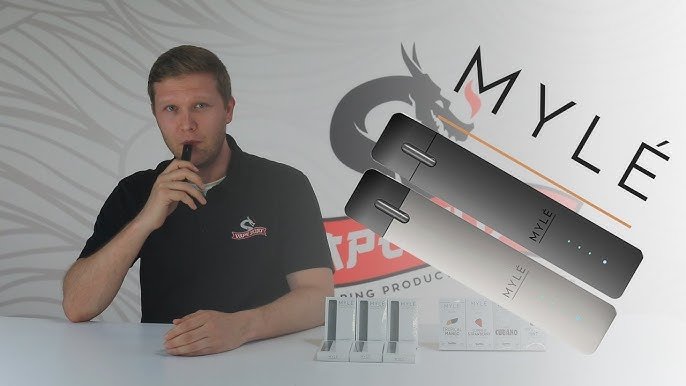
Myle vape devices are popular for their compact design, smooth performance, and ease of use. However, like any electronic device, they can sometimes face issues such as not hitting, not charging, leaking pods, or blinking lights. The good news is that most of these problems can be fixed at home with simple troubleshooting.
This guide will walk you through common problems, their causes, and step-by-step solutions to fix your Myle vape device effectively.
Understanding How Myle Vape Works
Before fixing any issue, it’s important to understand how the device functions.
A Myle vape is typically a pod-based system that works with:
- A rechargeable battery
- Replaceable or pre-filled pods
- An internal heating element
- A draw-activated sensor
When you inhale, the sensor activates the heating element, which turns e-liquid into vapor.
Most problems occur due to:
- Battery issues
- Pod connection problems
- Sensor malfunction
- Liquid leakage
Common Problems and How to Fix Them
1. Myle Vape Not Hitting (No Vapor)
This is one of the most common issues users face.
Possible Causes:
- Dead battery
- Pod not connected properly
- Dirty contacts
- Airflow blockage
How to Fix:
Step 1: Check the Battery
- Charge your device fully
- Try using it again
Step 2: Remove and Reinsert Pod
- Take out the pod
- Insert it firmly back into place
Step 3: Clean the Contacts
- Use a dry cotton swab
- Clean the metal contact points inside the device
Step 4: Check Airflow
- Ensure airflow holes are not blocked
- Clean gently if needed
If the device still does not hit, the sensor may be faulty.
2. Device Not Charging
Charging issues can stop your device from working entirely.
Possible Causes:
- Damaged cable
- Dirty charging port
- Battery failure
How to Fix:
Check Charging Cable
- Use a compatible cable
- Avoid cheap or damaged chargers
Clean Charging Port
- Use a toothpick or soft brush
- Remove lint or dust carefully
Try Different Power Source
- Use another USB port or adapter
Check LED Indicator
- Ensure the light turns on while charging
If no light appears, the battery might be damaged.
3. Blinking Light Issue
Blinking lights indicate a problem.
Common Meanings:
- Low battery
- Pod connection issue
- Device error
How to Fix:
Charge the Device
- Most blinking issues are due to low battery
Reinsert the Pod
- Remove and insert the pod again
Clean Contacts
- Dirt can interrupt connection
4. Weak Vapor Production
If the vapor feels weak, the experience becomes unsatisfying.
Possible Causes:
- Low battery
- Old or burnt pod
- Poor airflow
How to Fix:
Charge Fully
- Battery power affects vapor output
Replace Pod
- Old pods lose efficiency
Check Airflow
- Ensure no blockage
5. Pod Not Working or Not Detected
Sometimes the device does not recognize the pod.
Possible Causes:
- Dirty connectors
- Faulty pod
- Misalignment
How to Fix:
Clean Connectors
- Wipe both device and pod contacts
Reinsert Pod Properly
- Ensure it sits firmly
Try Another Pod
- If a new pod works, the old one is defective
6. Leaking Pod
Leakage is a common issue in pod systems.
Possible Causes:
- Damaged pod
- Temperature changes
- Improper storage
How to Fix:
Remove the Pod
- Stop using a leaking pod immediately
Clean the Device
- Remove all liquid inside
Store Upright
- Prevent further leaks
7. Burnt Taste
A burnt taste ruins the experience.
Possible Causes:
- Empty pod
- Coil damage
- Chain vaping
How to Fix:
Replace Pod
- Burnt coils cannot be fixed
Avoid Dry Hits
- Always keep liquid in the pod
Take Breaks
- Allow the coil to cool
8. Device Auto-Firing
If your device activates without inhaling, it can be dangerous.
Possible Causes:
- Liquid inside device
- Sensor malfunction
How to Fix:
Clean Inside
- Remove pod and clean thoroughly
Let Device Dry
- Leave unused for several hours
Stop Using if Persistent
- This is a safety concern
Cleaning and Maintenance
Regular maintenance can prevent most problems.
How to Clean:
- Remove pod
- Clean contact points
- Wipe device exterior
Weekly Care:
- Check for leaks
- Clean airflow holes
- Inspect charging port
Battery Care Tips
Good battery habits improve performance.
- Do not fully drain battery often
- Avoid overcharging
- Use proper chargers
- Charge regularly
Storage Tips
Proper storage helps extend device life.
- Keep in a cool, dry place
- Avoid direct sunlight
- Store upright
- Keep away from dust
Safety Guidelines
Using your Myle vape safely is important.
- Do not use damaged devices
- Avoid water exposure
- Do not open the device
- Stop using if overheating occurs
When to Replace Your Myle Vape
Sometimes fixing is not possible.
Signs You Need Replacement:
- Device won’t charge at all
- No response after troubleshooting
- Severe battery issues
- Internal damage
Replacing ensures safety and better performance.
Preventing Future Problems
Prevention is always better than repair.
Best Practices:
- Clean regularly
- Use original pods
- Charge properly
- Handle with care
Final Thoughts
Myle vape devices are designed to be simple and reliable, but occasional issues are normal. Most problems—such as no vapor, charging issues, blinking lights, or leaking pods—can be fixed with basic troubleshooting steps like cleaning, charging, or replacing pods.
Understanding how your device works and maintaining it properly will help you avoid many common issues. Always prioritize safety and avoid aempting risky repairs. If problems persist, replacing the device is often the best solution.