
How to Fix Vozol Vape

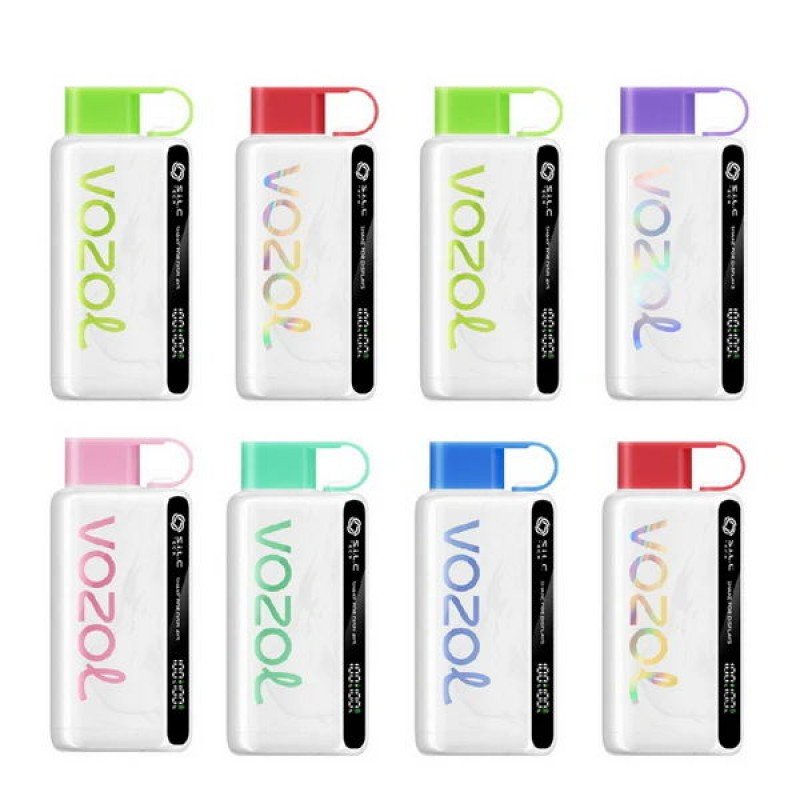
The **Vozol vape devices—such as Vozol Star, Gear, and Vista series—are known for high puff counts, strong flavors, and modern features like rechargeable batteries and smart displays. However, like any vape device, they can develop issues such as not hitting, blinking lights, weak vapor, burnt taste, or charging problems.
The good news is that most of these issues are common and can be fixed easily with simple troubleshooting steps. This guide will walk you through all major problems and how to fix them step by step.
Understanding Vozol Vape Devices
Before fixing any issue, it’s important to understand how Vozol vapes work.
Most Vozol devices are:
- Disposable or rechargeable disposable
- Pre-filled with e-liquid
- Equipped with mesh coils
- Draw-activated (no buttons)
- Sometimes include LED or screen indicators
Because of this design, most problems are related to:
- Battery and charging
- Airflow and sensor
- Coil and e-liquid condition
- Usage habits
1. Vozol Vape Not Working (No Vapor)
This is the most common issue.
Possible Causes:
- Battery is empty
- Airflow blocked
- Device not activated
- E-liquid finished
How to Fix:
Step 1: Charge the Device
- Plug into a charger for 20–30 minutes
- Blinking light usually means low battery
Step 2: Remove All Seals
- Remove silicone caps and stickers
Step 3: Check Airflow
- Look for blocked air holes
- Clean gently
Step 4: Take Gentle Puffs
- Avoid strong or fast pulls
Step 5: Check If Empty
- No vapor with full battery usually means empty
2. Vozol Vape Not Charging
Charging issues can stop your device completely.
Possible Causes:
- Dirty charging port
- Faulty cable
- Incorrect charger
How to Fix:
Clean Charging Port
- Remove dust or lint carefully
Use Proper Charger
- Use standard 5V charger (avoid high-watt chargers)
Try Another Cable
- Faulty cables are common
Wait and Observe
- Leave charging for at least 10 minutes
3. Blinking Light Problem
A blinking light usually indicates a problem.
What It Means:
- Low battery
- Charging issue
- Internal error
How to Fix:
Charge the Device
- Most blinking signals indicate low battery
Check Charging Connection
- Ensure cable is properly inserted
Wait a Few Minutes
- Device may take time to respond
If blinking continues after charging, it may be defective.
4. Weak Vapor Production
Weak vapor reduces satisfaction.
Possible Causes:
- Low battery
- Airflow restriction
- Device nearly empty
How to Fix:
Charge Fully
- Low battery reduces power output
Adjust Puffing Style
- Take slow, steady draws
Check Airflow
- Clean blocked holes
Replace If Empty
- Weak vapor often means low e-liquid
5. Burnt Taste
A burnt taste is one of the most common complaints.
Possible Causes:
- Chain vaping
- E-liquid finished
- Dry wick
How to Fix:
Take Breaks Between Puffs
- Wait 15–30 seconds between puffs
Check E-liquid Level
- Burnt taste often means empty
Stop Using
- Burnt coils cannot be repaired
Burnt hits happen when the coil heats without enough liquid
6. Gurgling or Spitting Sound
This happens when excess liquid builds up.
Possible Causes:
- Condensation
- Overdrawing
- Liquid flooding
How to Fix:
Hold Device Upright
- Let excess liquid settle
Tap Gently
- Clears airflow
Use Gentle Puffs
- Strong pulls cause flooding
7. Leaking Vape
Leaking can affect performance and safety.
Possible Causes:
- High temperature
- Internal pressure
- Damaged device
How to Fix:
Clean the Device
- Wipe mouthpiece and body
Store Upright
- Prevent leakage
Avoid Heat
- Heat thins e-liquid
If leaking continues, the device may be defective.
8. Device Auto-Firing
If the vape activates on its own, it is a serious issue.
Possible Causes:
- Liquid inside sensor
- Internal short circuit
How to Fix:
Clean Inside
- Remove moisture
Let Device Dry
- Leave unused for several hours
Stop Using If Persistent
- Auto-firing is a serious defect
9. No Flavor or Faded Taste
Sometimes vapor is present but flavor is weak.
Possible Causes:
- Coil wear
- Low e-liquid
- Flavor fatigue
How to Fix:
Replace Device
- Disposable coils cannot be fixed
Take Breaks
- Helps restore taste
10. Screen or Indicator Not Working
Some Vozol devices include screens.
Possible Causes:
- Low battery
- Internal issue
How to Fix:
Charge the Device
- Screen may not work on low battery
If screen still doesn’t work, device may be faulty.
Maintenance Tips
Even disposable devices benefit from basic care.
Simple Maintenance:
- Keep mouthpiece clean
- Avoid dust exposure
- Store properly
Avoid:
- Opening device
- Using water inside
- Inserting sharp objects
Proper Usage Tips
Using the device correctly prevents most issues.
Best Practices:
- Take slow, steady puffs
- Avoid chain vaping
- Charge regularly
- Handle gently
Storage Guidelines
Storage affects performance significantly.
Tips:
- Keep in cool, dry place
- Avoid direct sunlight
- Store upright
Heat and pressure changes can cause leakage and performance issues
Battery Care Tips
For rechargeable Vozol devices:
- Avoid overcharging
- Use proper chargers
- Do not fully drain battery frequently
Proper charging extends device life.
When to Replace the Device
Since most Vozol vapes are disposable:
Replace when:
- No vapor even after charging
- Burnt taste persists
- Battery not charging
- Device leaking severely
A device that is empty or internally damaged cannot be repaired.
Preventing Future Problems
Follow These Tips:
- Use gently
- Store properly
- Avoid extreme temperatures
- Clean regularly
Final Thoughts
The **Vozol vape devices are designed for convenience and high performance, but like all vape products, they can develop issues such as no vapor, weak hits, blinking lights, or leakage.
Most problems can be fixed easily by:
- Charging the device properly
- Cleaning airflow and contacts
- Adjusting puffing technique
- Storing the device correctly